
Markdown diagrams with Mermaid, now drawn in your Koru notes

Steven Liechtifounder of Koru
6 minute read
Short answer
Koru now draws Mermaid diagrams inside your notes, in the latest Koru release. Write Mermaid text in a code block set to mermaid and Koru draws flowcharts, sequence diagrams and pie charts in place, in your page's colors. You can zoom, pan, open a diagram full window, copy it as an image or save it as PNG or SVG, all offline.
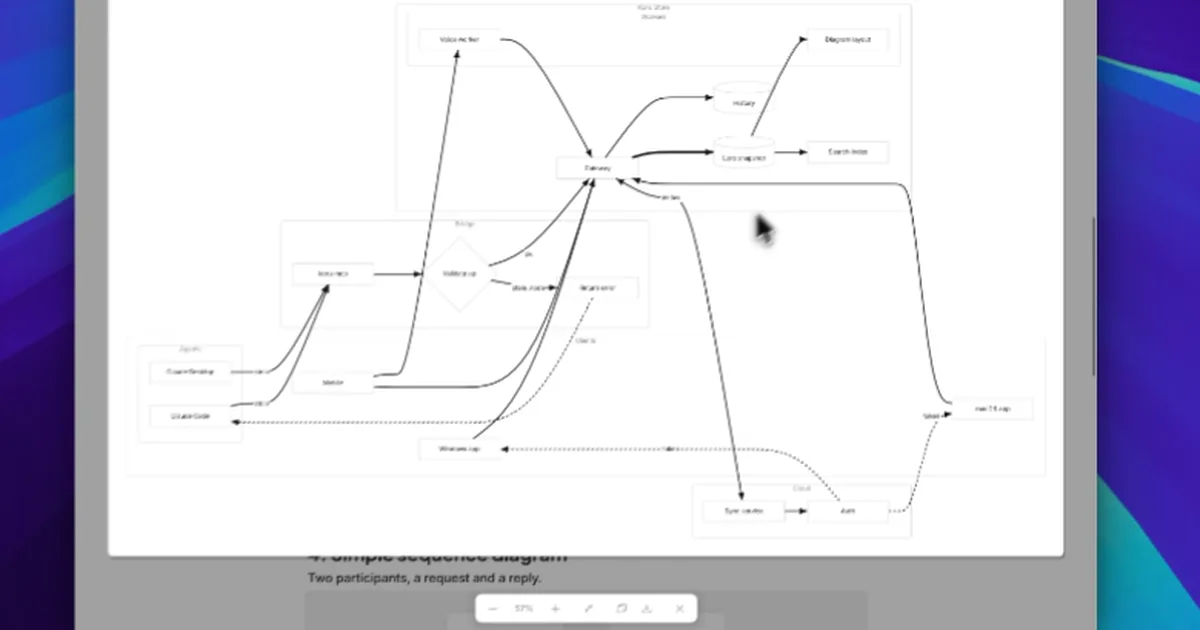
Markdown diagrams are diagrams you write as text, right next to the words they explain. The demo above walks through what that looks like in Koru: a three-step flowchart, a decision flowchart zoomed in, a large flowchart with nested groups opened full window, and two sequence diagrams.
Mermaid is a text language for diagrams. Its documentation describes it as a tool that "renders Markdown-inspired text definitions to create and modify diagrams dynamically." You write the boxes and the arrows between them as short lines of text, and a renderer turns those lines into a picture.
That is why Mermaid shows up wherever people write Markdown. GitHub draws a code block marked mermaid in issues, discussions, pull requests, wikis and Markdown files. The diagram lives in the same document as the notes around it, so it changes in the same edit.
A code block whose language is Mermaid is a diagram in Koru. There are a few ways to start one:
- Type
/diagramor/mermaid, or choose Diagram from the+beside a row. Koru adds a small three-box example, already drawn, with its text selected so you can type or paste over it. - On an empty line, type three backticks followed by
mermaid, then press Enter or Space. You get an empty diagram block. - Paste Markdown that already holds a Mermaid code block, from a README, a docs page or a page copied out of Notion. It arrives as a diagram.
- Already have a code block? Switch its language to Mermaid.
To change a diagram, click it and press Enter, or use Edit text in the bar at its corner. The text opens above the drawing, and the drawing follows every keystroke. If a line cannot be read, Koru names it ("Line 7: this line could not be read") and keeps the last drawing that worked until the text draws again. Esc closes the text.
These four examples match the kinds of diagram in the demo. Each one is complete: paste it into a Koru note, or any other tool that reads Mermaid, and it draws.
A simple flowchart. flowchart LR lays the boxes out left to right (TD stacks them top to bottom), and each --> is an arrow.
flowchart LR
  A[Write] --> B[Review] --> C[Publish]
A decision flowchart. Braces make a diamond, [( )] a cylinder and [/ /] a slanted box. Text between dashes labels an arrow, and the dotted arrow loops back to an earlier step.
flowchart TD
  start([Open the note]) --> edit[Edit text]
  edit --> saved{Saved?}
  saved -- no --> retry[/Retry write/]
  retry --> saved
  saved -- yes --> online{Online?}
  online -- yes --> push[Send changes]
  online -- no --> queue[(Queue locally)]
  queue -.-> edit
Groups with subgraphs. subgraph draws a labelled box around related steps, arrows can cross from one group to another, and ==> makes a thick link.
flowchart LR
  subgraph Write
    draft[Draft] --> review{Review}
  end
  subgraph Ship
    build[Build the site] ==> live[(Live page)]
  end
  review -->|approved| build
  review -.->|changes| draft
A sequence diagram. Actors and participants, solid and dashed messages, an activation bar, an alt and else frame, and a note.
sequenceDiagram
  actor User
  participant App
  participant API
  User->>App: Sign in
  activate App
  App->>API: POST /session
  alt Password is correct
    API-->>App: 200 OK with a token
    App-->>User: Open the workspace
  else Wrong password
    API-->>App: 401 Unauthorized
    App-->>User: Show an error
  end
  deactivate App
  Note right of API: Tokens expire after an hour
For the full syntax, see Mermaid's references for flowcharts and sequence diagrams.
Rest the pointer on a diagram and a small bar appears at its corner with four controls: a magnifier, Copy image, Save as and Edit text.
The magnifier, or a double-click on the drawing, opens the diagram in its own view over the page. It uses the whole window, sidebar included, so a large flowchart with nested groups stays readable (the demo shows one from about 0:15).
- Zoom with the minus and plus buttons at the bottom of the view, which also show the zoom level, or with a pinch gesture.
- The fit button shows the whole drawing again.
- Pan by dragging, with the mouse wheel (Shift and the wheel moves sideways) or with the arrow keys.
- Esc, the close button or a click on the dimmed page closes the view.
Copy image puts a picture of the diagram on the clipboard at twice the screen size, ready for a slide or a chat. Save as (in the corner bar or the right-click menu) writes a PNG, also at twice the screen size, or an SVG that needs no fonts installed to look right.
So if you came here to turn Mermaid into a PNG, you can do it from your notes, without pasting your diagram into an online converter.
Copying the block itself works differently. In another Koru note it pastes as a diagram; in another app it arrives as a fenced mermaid code block, which GitHub and other Mermaid tools can draw.
Koru draws Mermaid on your own device, with an engine written in Rust. There is no browser, web view or online service involved, so a diagram draws the same with the Wi-Fi off. (More on why Koru is native in How Koru is built.)
The text is the source of truth. Koru never stores or syncs the picture: each device draws its own from the text. When free, end-to-end encrypted peer-to-peer sync carries a note between your computers, the diagram travels as a few lines of text, and it draws in light and dark themes alike.
Because a diagram stays plain Mermaid, it leaves Koru as easily as it arrives. Markdown export writes it back out as a fenced mermaid block, so the diagram goes with your notes into a Git repository, a docs site or another notes app. See imports for the other direction.
Koru works with the AI you choose. Its built-in MCP server lets Claude, Claude Code or another MCP client read and edit your notes, and that includes diagrams. An agent writes Mermaid into a code block, and every time it reads the block back, Koru tells it whether the diagram drew and, if not, why.
Ask for a sequence diagram of your checkout flow and it lands as a real diagram you can edit, not a screenshot.
- Flowcharts:
flowchartorgraph, every direction, withsubgraphgroups. - Sequence diagrams: participants, actors, every arrow style, notes, activations, and
loop,altandoptframes. - Pie charts:
pie, with a title, the percent on each slice and a legend.
Any other Mermaid kind, such as a Gantt, class or state diagram, keeps its text in the note with a line saying Koru does not draw that kind yet. Styling lines such as classDef and style, and click links, are kept as written but ignored for drawing: the theme decides how a diagram looks. A very large diagram shows its text with a "Too large to draw" note instead of slowing the page down.
Mermaid diagrams are in the latest stable Koru release, and the Mermaid diagrams feature page sums them up. To try it, download Koru for Windows, macOS or Linux, open a note, type /diagram and paste one of the examples above. Which diagram kind should we draw next? Tell us in r/korudo.
Put the diagram in a fenced code block whose language is mermaid: a line with three backticks and the word mermaid, the diagram text, then a line with three backticks. GitHub, Koru and other Mermaid-aware tools draw that block as a diagram. In Koru you can also type /diagram.
Yes. In Koru, right-click a diagram and choose Save as to save it as a PNG at twice the screen size, or as an SVG. Copy image puts the picture on the clipboard instead. Both happen on your computer, so the diagram is never uploaded to a converter.
Flowcharts, sequence diagrams and pie charts. Other Mermaid kinds, such as Gantt or class diagrams, stay in the note as text with a line saying Koru doesn't draw them yet.
Yes. Koru draws diagrams on your own computer with a native engine, with no browser, web view or internet connection.
Yes. Koru is free and open source, available for Windows, macOS and Linux, and peer-to-peer sync between your own devices is free and end-to-end encrypted. Koru Cloud is optional, at $9.99 a month for 100 GB.
Drafted with help from AI tools, edited and fact-checked by Steven Liechti.
Related tags
- New features
- Notes apps
- Offline-first
- MCP
Subscribe to receive notifications of new posts
We'll never share your email address.
Read next
Why Revolut stopped renting AI and started running its own
 Steven Liechti
Is Standard Notes free? Pricing, Markdown and plans for 2026
Steven LiechtiObsidian and Claude Code: 4 ways to set it up
Steven Liechti