
Mermaid diagrams in notes apps: Typora, Obsidian, Notion and Google Docs compared

Steven Liechtifounder of Koru
6 minute read
Short answer
Typora and Obsidian draw the widest range of Mermaid diagrams of any notes app here, from flowcharts to Gantt, class and mindmap diagrams, and both work offline. Notion draws Mermaid in code blocks but doesn't publish which kinds it supports, and Google Docs can't draw Mermaid at all without an add-on. Koru, our free notes app, draws only flowcharts, sequence diagrams and pie charts, but does it offline with PNG and SVG export and lets an AI agent write diagrams into your notes.
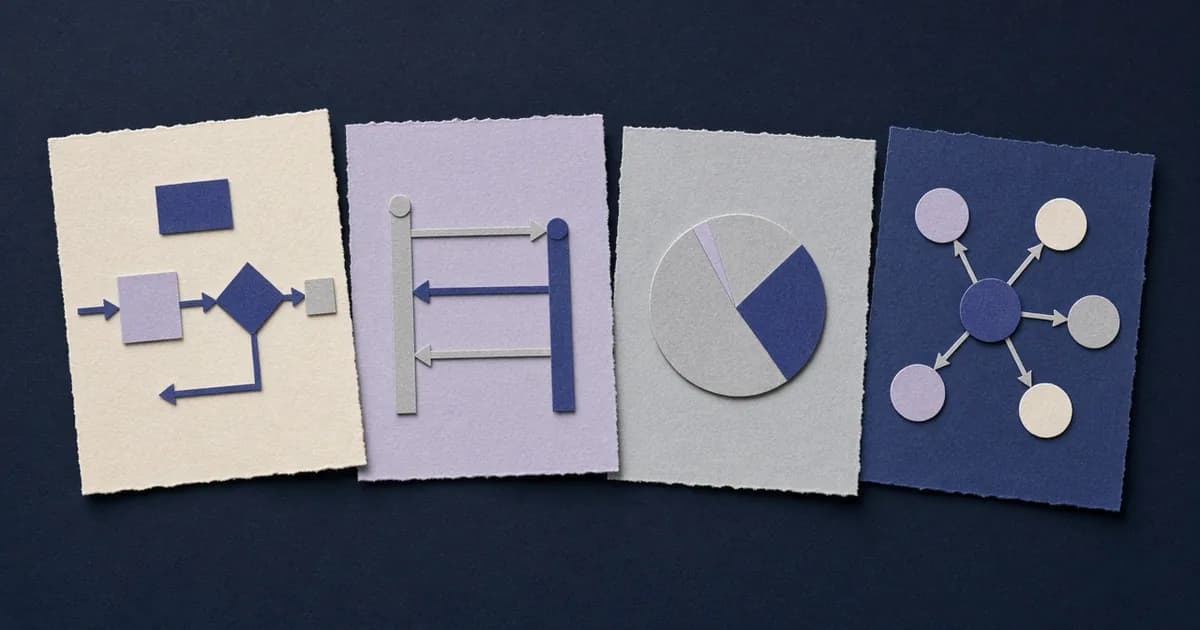
Mermaid is a text language for diagrams: you write a few lines in a code block marked mermaid, and the app draws boxes and arrows from them. The text stays in your note, so the diagram is easy to edit, diff and copy between apps. What differs between apps is how many diagram kinds they draw, whether they need a connection, and what you can do with the drawing.
Checked against each app's own documentation on November 5, 2026.
| App | How you add one | Diagram kinds drawn | Offline | Save the diagram as an image | Price |
|---|---|---|---|---|---|
| Typora 1.14 | ```mermaid code block, after turning on diagrams in Preferences > Markdown | 15 Mermaid kinds listed in its docs, including Gantt, class, state, mindmap, timeline, sankey and ZenUML, plus flowchart.js and js-sequence | Yes (Mermaid ships inside the app) | Yes: right-click to save SVG, PNG or JPG, or copy | $14.99 one-time, up to 3 devices |
| Obsidian 1.15 | ```mermaid code block | Every type built into Mermaid 12.1.0, through its own renderer, Pele (no ZenUML) | Yes (renderer is part of the app) | Not documented in Obsidian's help | Free |
| Notion | Code block, language set to Mermaid, then Preview or Split | Not listed; Notion names "flowcharts, pie charts, user journey diagrams and more" | Not documented | Not documented | Free plan available |
| Google Docs | Not built in; Mermaid's own add-on, "Mermaid for Google Docs" | Depends on the add-on | Not documented | Inserted into the doc by the add-on | Add-on needs a Mermaid account |
| Koru 0.1.4 | ```mermaid code block, or an AI agent over MCP | 3: flowcharts, sequence diagrams, pie charts | Yes (drawn natively, no web view) | Yes: PNG at 2x or SVG, or copy as image | Free and open source |
Typora's diagram docs list sequence, flowchart, Gantt, class, state, pie, requirement, gitGraph, C4, mindmap, timeline, quadrant, sankey, ZenUML and XY chart diagrams from Mermaid, and Typora also draws the older flowchart.js and js-sequence syntaxes. Diagrams are off until you turn them on under Preferences > Markdown, so check that setting first if a Mermaid block shows up as plain code.
Right-click any diagram to save it as SVG, PNG or JPG, or copy it, and Typora's HTML, PDF, ePub and Word exports include the drawn diagrams. You can switch the Mermaid theme with the CSS variable --mermaid-theme. We looked inside Typora's Linux download (version 1.14.9) and Mermaid 11.13.0 is bundled in the app, so diagrams draw without a connection.
Typora costs $14.99 once for up to three devices, with a 15-day trial, on macOS, Windows and Linux. If you mostly write single Markdown documents and want every diagram kind, it's the strongest pick here.
In Obsidian, a code block with the language mermaid turns into a diagram (Advanced formatting syntax), and you can link a node to another note with class A internal-link;.
Obsidian 1.15, released on November 2, 2026, changed how this works under the hood. "Obsidian no longer includes Mermaid": diagrams are now drawn by Obsidian's own open source library, Pele, which the changelog calls "compatible with the latest Mermaid 12.1.0 syntax" (Obsidian 1.15.0 changelog). Pele's compatibility page says it supports every diagram type built into Mermaid 12.1.0, from flowcharts and Gantt charts to kanban boards, architecture diagrams and treemaps. Diagrams now use your theme's colors and fonts, resize to fit the pane, and can be zoomed and panned when they're scaled down. The changelog also notes that "Pele can't run code": links in a diagram's click lines still work, but JavaScript callbacks are ignored (Pele's compatibility page).
Two things to know if you're upgrading. Pele uses its own layout, so a diagram may not look exactly the way it does in the Mermaid live editor, and Mermaid themes and HTML labels don't carry over. ZenUML and other external Mermaid plugins aren't supported.
On "obsidian mermaid plugin": you don't need one to draw diagrams. Community plugins exist for extras, but the drawing itself is built in.
Notion added Mermaid in December 2021: pick Mermaid in a code block's language menu, then choose Preview to see the drawing or Split to see code and drawing together (Notion release notes). Notion says you can create "flowcharts, pie charts, user journey diagrams and more", but its code block help page doesn't mention Mermaid, and we couldn't find a list of supported diagram kinds or a Mermaid version.
Notion's desktop and mobile apps can work offline if you download pages first (Working offline in Notion), but the guide doesn't say whether Mermaid previews draw without a connection, so test that before you rely on it. It's the best fit if your team already writes in Notion and the diagrams are simple.
Google Docs has code blocks (Insert > Building blocks > Code blocks) on some paid Google Workspace plans, but they format code; they don't draw Mermaid (Google Workspace Updates). To get Mermaid into a doc, Mermaid's makers offer Mermaid for Google Docs on the Workspace Marketplace, which lets you create and edit diagrams and insert them. It needs a Mermaid account.
Koru is a free, open source (MPL-2.0) notes app for Windows, macOS and Linux, written in native Rust. In version 0.1.4 it draws three kinds of Mermaid diagram: flowcharts (with subgraphs), sequence diagrams and pie charts. Other kinds keep their text in the note, with a message that Koru doesn't draw that kind yet. If you need Gantt, class or mindmap diagrams today, Typora or Obsidian will serve you better.
What Koru adds:
- Offline, with no web view. Koru draws diagrams natively on your computer, without a browser engine or JavaScript.
- Export. Each diagram has Open (full-window, with zoom), Copy image, and Save as PNG at twice screen size or SVG.
- AI that checks its work. Claude Code or any MCP client connected to Koru's built-in MCP server can write diagrams into your notes, and Koru tells the agent whether each one drew and, if not, why.
- Plain text underneath. Markdown export keeps each diagram as a fenced Mermaid block, so it moves to Typora or Obsidian unchanged.
Sync between your devices is free, peer-to-peer and end-to-end encrypted; Koru Cloud is optional at $9.99/month for 100GB. See Mermaid diagrams in Koru for the feature, and our Mermaid how-to with examples for step-by-step use.
- Every diagram kind in standalone Markdown files: Typora.
- Every diagram kind inside a linked vault, free: Obsidian 1.15.
- Your team already lives in Notion: Notion, for simple diagrams.
- Your documents are in Google Docs: the Mermaid add-on, with a Mermaid account.
- Flowcharts, sequence diagrams and pie charts, offline, with an AI agent drafting them: download Koru.
Yes. Turn on diagrams under Preferences > Markdown, then write a code block with the language `mermaid`. Typora's docs list 15 Mermaid diagram kinds, including Gantt, class and mindmap, and you can right-click a diagram to save it as SVG, PNG or JPG.
No. Obsidian draws Mermaid code blocks on its own. Since version 1.15 it uses its own renderer, Pele, which supports every diagram type built into Mermaid 12.1.0 except external ones such as ZenUML.
Notion doesn't publish a full list. Its release note names flowcharts, pie charts and user journey diagrams "and more". Write the diagram in a code block set to Mermaid and switch to Preview to check it draws.
Not natively. Google Docs code blocks format code but don't draw diagrams. Mermaid's own add-on, Mermaid for Google Docs, inserts diagrams and requires a Mermaid account.
Typora and Obsidian both bundle their renderer in the app, and Koru draws its three supported kinds natively without a connection. Notion's offline guide doesn't mention Mermaid.
Drafted with help from AI tools, edited and fact-checked by Steven Liechti.
Related tags
- Comparisons
- Notes apps
- Obsidian
- Notion
- Works offline
Subscribe to receive notifications of new posts
We'll never share your email address.
 Steven Liechti